
WPS (Router Button) Connection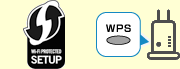
-
Make sure the WPS button on the wireless router is ready to be pressed.
-
Press and hold
 (Wireless select button) on the printer, and then release it when the Wireless select lamp flashes.
-
Press and hold the WPS button on the wireless router within 2 minutes.
 Note
Note- For more on pressing the WPS button, see the wireless router manual.
Once connection to the wireless router is complete, the Wireless select lamp stops flashing and stays lit.
If
 (Alarm lamp) lights up, see Troubleshooting.
 -
Connect your computer or smartphone to the printer using the app.
